Fabrication Cost Estimator
Project Scope
To support my plasma cutting hobby and freelance fabrication work, I developed a native Android application to automate the pricing process for custom metal parts. The app replaces manual spreadsheet calculations, allowing me to instantly generate accurate cost estimates based on real-time material dimensions and current steel prices.

The Challenge
Quoting custom CNC work is difficult because material costs fluctuate constantly. Hard-coding prices (e.g., “16 Gauge = $1.00/sq ft”) would make the app obsolete the next time steel prices rose.
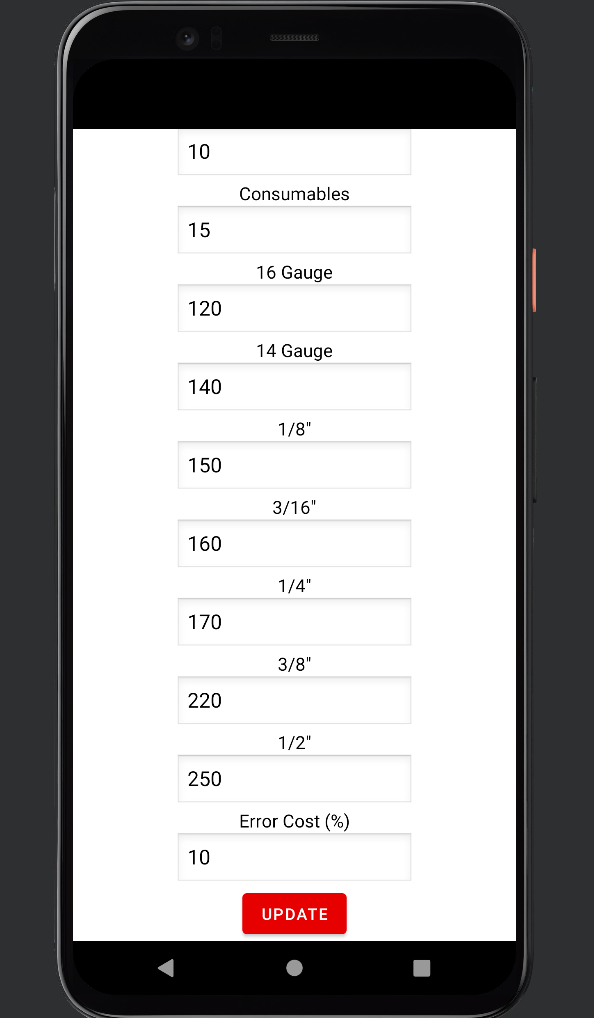
- Variable Market Rates: I needed a way to update the base cost of different steel gauges (16ga, 14ga, 1/4”, etc.) without recompiling the code.
- Scrap & Overhead: The calculator needed to account for “Error Cost” (safety margin) and secondary processes like painting/priming.
Technical Implementation
Dynamic Configuration (Data Persistence)
Instead of static values, I built a Settings Activity that acts as a local database.
- SharedPreferences: utilized Android’s lightweight storage system to persist market rates. The user can open the “Update” screen, input the current price for a 4x8 sheet of 16 Gauge or 1/4” plate, and save it.
- Global Access: These values are retrieved instantly by the main calculation engine, ensuring every quote reflects the current cost of goods sold.
The Pricing Algorithm
The app’s logic connects the user’s physical inputs with the backend configuration to generate a quote:
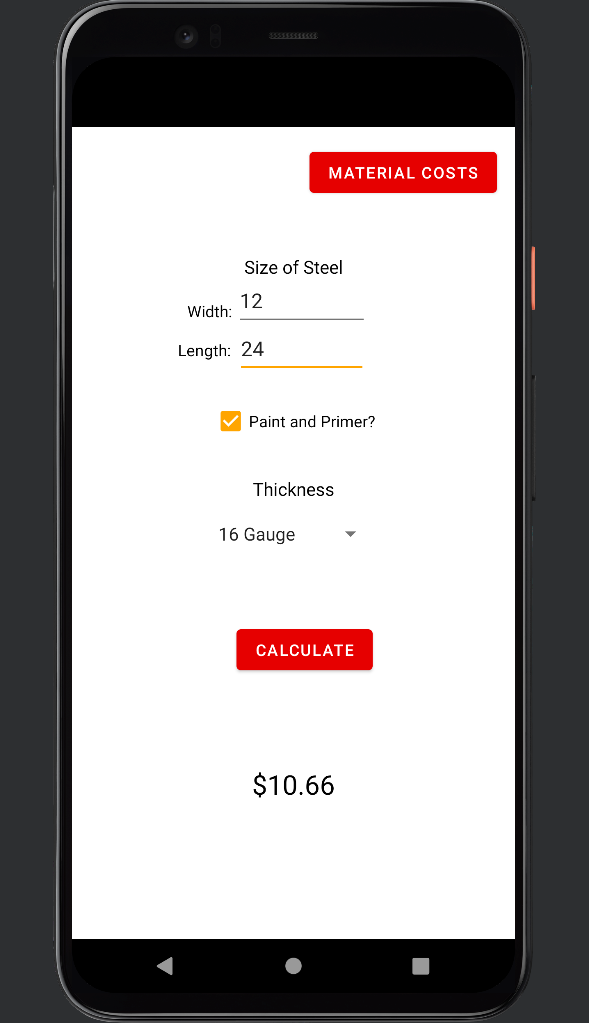
- Dynamic Material Costing: The app calculates the total part area ($Width \times Length$) and cross-references it with the user’s stored “Price per Sheet” for the selected metal gauge (e.g., 16ga vs. 1/4” plate).
- Risk Management: A configurable “Error Cost (%)” field adds a safety margin to the final total, automatically buffering the quote against potential scrap or mistakes.
- Operational Overheads: The algorithm aggregates fixed costs, such as Consumables (torch nozzle wear) and optional finishing steps (Paint/Primer checkboxes), ensuring these expenses are not overlooked in the final price.
User Interface (XML)
I designed a high-contrast, utility-first UI optimized for use in a workshop environment.
- Input Handling: Used
Spinnerwidgets for quick Gauge selection and Checkboxes for binary options (Paint/Primer), minimizing typing errors. - Real-Time Feedback: The “Calculate” action immediately processes the inputs against the saved configuration to display a clear dollar value.
Personal Impact
- Efficiency: Reduces the time to quote a project from about 10 minutes to less than 30 seconds.
- Adaptability: When steel prices fluctuate, I can simply update the “16 Gauge” field in the settings, and all future quotes are automatically corrected.
- Portability: Allows me to give immediate estimates to friends or clients when discussing ideas, without needing to go back to my computer.
Gallery
Screenshots of the application workflow.